

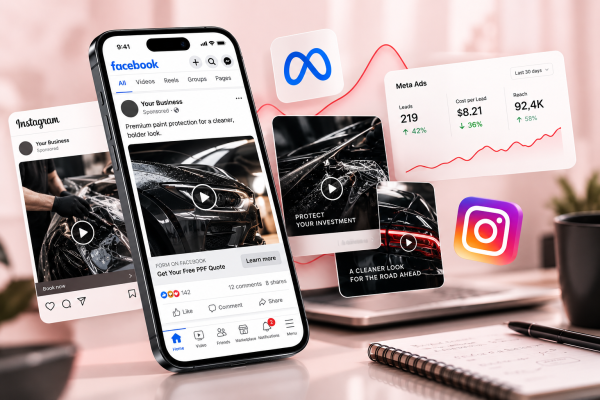
Meta Ads Not Performing? Here’s What to Check First
Your campaign was generating leads.
Then performance dropped.
Cost per lead increased. Enquiries slowed down. One of your best ads suddenly stopped producing results.
The instinct is often to immediately turn everything off or rebuild the entire campaign.
That is not always the best response.
When Meta Ads are not performing, the first job is diagnosis.
You need to understand where the problem is happening before deciding what to change.
Here is a practical framework.
1. Check Whether There Is Actually a Problem
Advertising performance naturally fluctuates.
One bad day does not necessarily mean the campaign has failed.
Look at a meaningful period of data and compare it with your normal performance.
Ask:
- Has spend increased significantly?
- Has cost per lead changed?
- Has conversion rate dropped?
- Has click-through rate changed?
- Are people still engaging with the creative?
- Has lead quality changed?
- Is the campaign actually delivering?
Avoid making large decisions based on a tiny sample.
2. Verify Your Tracking
Before blaming the campaign, make sure the data is correct.
Tracking problems can make good advertising look bad.
Check:
- Meta Pixel
- Conversions API
- website events
- lead forms
- thank-you pages
- duplicate events
- CRM tracking
- GA4 if applicable
For example, duplicate lead tracking can make your reported CPL look much lower than reality.
Missing events can create the opposite problem.
Make sure your numbers represent what is actually happening.
3. Look at Campaign Delivery
If a campaign is barely spending, the issue may not be creative performance yet.
Check:
- campaign status
- ad-set status
- ad approval
- budget
- audience size
- schedule
- learning status
- account restrictions
- billing problems
Changing several major settings at once can also temporarily affect delivery.
Before making another change, determine whether Meta is actually getting enough opportunity to deliver the campaign.
4. Check for Creative Fatigue
Creative fatigue occurs when an audience has seen the same advertisement too many times or the creative simply stops getting attention.
Possible signs include:
- falling CTR
- increasing CPM
- increasing CPL
- decreasing engagement
- higher frequency
- fewer conversions despite similar spend
Do not automatically assume that every old ad needs replacing.
Some advertisements continue working for months.
Judge them on actual performance.
But maintaining a pipeline of new concepts helps prevent your account from depending entirely on one creative.
5. Review Your Hook and Message
If people are seeing the advertisement but not engaging, the message may not be strong enough.
Ask:
Does the first few seconds communicate something relevant?
For video ads:
- Does the hook identify the customer or problem?
- Is the opening visually interesting?
- Is there unnecessary introduction?
- Does the viewer quickly understand why they should continue watching?
For static ads:
- Is the main idea immediately clear?
- Is the visual relevant?
- Is there too much text?
- Does the message communicate a meaningful benefit?
Creative performance often starts with relevance.
6. Check the Offer
You can have strong targeting and good creative but still struggle if the offer is weak.
Ask yourself:
- Is the next step clear?
- Does the offer make sense for this audience?
- Is there enough reason to act?
- Does it feel too high-commitment?
- Are competitors making a stronger proposition?
The offer does not have to mean a discount.
It can simply mean making the buying process easier.
7. Review the Landing Page
If ads are getting clicks but few people convert, look beyond Ads Manager.
The landing page might be the bottleneck.
Review:
- headline
- page speed
- mobile experience
- offer
- social proof
- form length
- CTA visibility
- trust elements
- message consistency
The page should continue the same conversation started by the advertisement.
If the ad promises one thing but the landing page immediately talks about something else, prospects may leave.
Tools such as Microsoft Clarity can also help identify how users interact with the landing page through scroll depth, click behavior, and session recordings.
8. Look at Lead Quality, Not Just Volume
A campaign may appear successful inside Ads Manager but generate poor business outcomes.
Ask the sales team or whoever follows up with enquiries:
- Are leads answering?
- Are they qualified?
- Why are people saying no?
- Are they outside the service area?
- Are they only shopping for the lowest price?
- Are they booking appointments?
- Are they becoming customers?
This information should feed back into your advertising strategy.
9. Check Your Follow-Up Process
Sometimes the campaign is doing its job.
The follow-up process is where the opportunity disappears.
Service businesses should consider:
- how quickly leads are contacted
- number of follow-up attempts
- phone vs SMS vs email
- appointment reminders
- qualification process
- sales scripts
A lead that waits 24 hours for a response may behave very differently from one contacted within minutes.
10. Avoid Changing Everything at Once
When results decline, panic can create more problems.
If you change:
- creative
- audience
- budget
- campaign structure
- offer
- landing page
all at the same time, you may never know what caused the improvement or decline.
Prioritize the most likely problem.
Make a controlled change.
Collect enough data.
Then evaluate.
Diagnose Before You Decide
When Meta Ads stop performing, the answer is not automatically:
Turn it off.
A better question is:
What is the data telling us?
Look at the campaign as a complete system:
Delivery → Creative → Click → Landing Page → Lead → Follow-Up → Sale
Finding where performance breaks down gives you a much better chance of fixing it.
If your campaigns are still generating enquiries but the lead quality is weak, read my guide on how service businesses can get better leads from Meta Ads.